Information
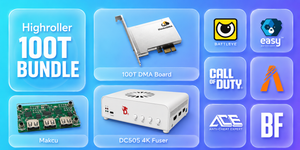
- The DC505 is a high-performance dual-PC video fuser that combines the video output from your gaming PC and DMA PC into one seamless image on your primary monitor.
- Designed for extremely low and consistent latency with native-resolution fused video output.
- HDMI and DisplayPort cannot be mixed. Your gaming PC, DMA PC, and monitor must all use HDMI or all use DisplayPort.
Included
- 1x Slackn's DMA DC505 Fuser
- 1x 12V Power Adapter
- 3x Display Port Cables
System Requirements
- Both computers require compatible dedicated GPU video outputs.
- A CPU with at least 6 threads is recommended for the secondary DMA PC.
- Laptops are supported when they provide compatible HDMI 2.1 FRL or DisplayPort 1.4/2.1 video output.
Video Interfaces
- 3x HDMI 2.1 FRL ports with up to 48Gbps bandwidth
- 3x DisplayPort 1.4 ports with up to 32.4Gbps bandwidth
- Dedicated connections for the gaming PC, DMA PC, and primary monitor
- Supports standard and ultrawide monitors
1K HDMI Fuser vs 4K DC505 Fuser
| Resolution |
1K HDMI Fuser
(Max Refresh Rate) |
4K DC505 Fuser
(Max Refresh Rate) |
| 1920×1080 |
240Hz |
Up to 550Hz |
| 2560×1440 |
144Hz |
Up to 360Hz |
| 3840×2160 |
60Hz |
Up to 160Hz |
HDMI 2.1 Performance
- 1920×1080 up to 550Hz
- 2560×1440 up to 360Hz
- 3840×2160 up to 160Hz
- Requires full-bandwidth HDMI 2.1 FRL 48Gbps connections on both computers and the monitor.
- Maximum refresh rates may require a compatible low-timing monitor, adjusted GPU timings, or a custom EDID.
DisplayPort Performance
- 1920×1080 up to 500Hz
- 2560×1440 up to 320Hz
- 3840×2160 up to 144Hz
- Compatible with DisplayPort 1.4 and DisplayPort 2.1 connections.
- A small number of monitors may be limited to 1080p 480Hz, 1440p 240Hz, or 4K 120Hz.
GPU Compatibility
- DisplayPort mode supports NVIDIA GTX 10-Series or newer and AMD RX 500-Series or newer GPUs.
- For HDMI 2.1 mode, an NVIDIA RTX 3060 or AMD RX 6500 XT-class GPU or newer is recommended.
- AMD RX 6000-Series and NVIDIA RTX 50-Series GPUs can support up to 1080p 550Hz, 1440p 360Hz, and 4K 160Hz with compatible hardware.
- NVIDIA RTX 30-Series and RTX 40-Series GPUs are generally limited to 1080p 480Hz, 1440p 320Hz, and 4K 144Hz due to DSC behavior.
- Some RTX 5070 Ti or higher GPUs and newer laptops may require the selectable 12G HDMI link mode.
Display Compatibility
- Supports 1080p, 1440p, and native 4K monitors.
- Supports ultrawide monitors, including 3440×1440.
- Refresh rates are backward-compatible with lower monitor refresh rates.
- Maximum performance depends on the monitor, GPU, cable bandwidth, display timings, EDID, and DSC behavior.
Integrated Capture Card
- Integrated USB video-capture functionality through the front USB-C Collect port.
- Selectable capture mode for the gaming PC signal or the final fused output.
- Compatible with OBS after installing the supplied Windows driver.
- Supports USB-C to USB 3.0 and USB-C to USB-C connections.
Adjustable Overlay Keying
- Adjustable chroma-key intensity from 5 to 255.
- Set the keying value to 0 to disable chroma keying.
- Overlay modes and keying intensity can be controlled directly from the front panel.
Compatibility Modes
- Mode A: Adaptive mode for the widest general compatibility.
- Mode B: Native display mode for alternative monitor and GPU compatibility.
- Mode ? Custom EDID injection mode.
Custom EDID Support
- Supports custom HDMI and DisplayPort EDID injection.
- Allows advanced monitor timings, refresh rates, and compatibility profiles to be stored directly on the device.
- Injected EDID profiles can be enabled using Mode C.
Front-Panel Controls
- View the current resolution, refresh rate, keying intensity, link rate, firmware build, EDID mode, activation status, and capture mode.
- Switch compatibility modes, link rates, overlay modes, display sources, and capture modes without software.
- Front status indicators show the monitor, gaming PC, DMA PC, and fusion connection status.
Firmware Updates
- Firmware can be updated through the dedicated rear USB-C service connection.
- The update process can be restarted after an interruption, power loss, or frozen update without permanently bricking the device.